
Shop microsoft laptop mice
(1243 items found)
Sort by:
Best match
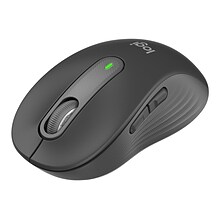
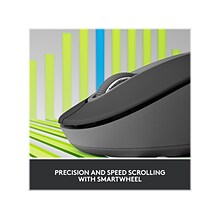
Logitech Signature M650 Wireless Optical Mouse, Graphite (910-006250)
Item #: 901-24516902
Versatile optical mouse for everyday use at home or in the office
Connect in an instant via the Bluetooth Low Energy technology or the Logi Bolt USB receiver
Interface type: Bluetooth
This product is not eligible for earning points.
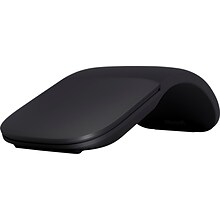
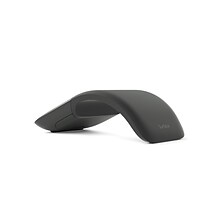
Microsoft Arc FHD-00016 Wireless Bluetrack Mouse, Black
Item #: 901-2725770
BlueTrack technology combines laser precision and optical power for improved quality this mouse
Take this reliable wireless mouse anywhere
Includes vertical and horizontal scrolling for easy movement through documents and pages
This product is not eligible for earning points.

Microsoft Surface Wireless Optical Mouse for Business, Light Gray (3YR-00001)
Item #: 901-IM18F3663
Bluetooth wireless connectivity offers more freedom for people who want to control their Smartphones from a distance
With a higher light beam, BlueTrack movement detection offers you accurate clicking and scrolling
Scroll wheel provides convenient and easy navigation
This product is not eligible for earning points.


Incase Wireless Desktop 850 Designed by Microsoft Keyboard and Optical Mouse Combo, Black (PY9-00001)
Item #: 901-24614102
Designed by Microsoft
Keyboard: Reliable wireless connection with 2.4 GHz wireless technology, Advanced Encryption Standard (AES) 128-Bit Encryption, Windows shortcut keys to quickly access frequently used tools, Battery life indicator – glows red when the battery is runn
ing low, Windows start screen key, Longer battery life – up to 15 months ...
ing low, Windows start screen key, Longer battery life – up to 15 months ...
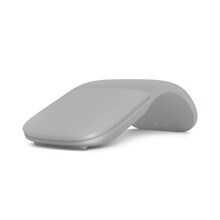
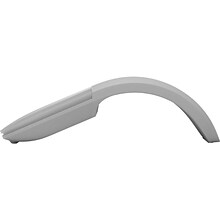
Microsoft Arc FHD-00001 Wireless Bluetrack Mouse, Gray
Item #: 901-2725769
BlueTrack technology combines laser precision and optical power for improved quality this mouse
Take this reliable wireless mouse anywhere
Includes vertical and horizontal scrolling for easy movement through documents and pages
This product is not eligible for earning points.


Incase Wired Desktop 600 Designed by Microsoft Keyboard and Optical Mouse Combo, Black (APB-00001)
Item #: 901-24614105
Designed by Microsoft
Plug and play - no software needed. Just connect the keyboard to your PC and go
Quiet, responsive, thin-profile keys
This product is not eligible for earning points.


Incase Wireless Desktop 900 Designed by Microsoft Keyboard and Optical Mouse Combo, Black (PT3-00001)
Item #: 901-24614107
Designed by Microsoft
Advanced Encryption Standard (AES) 128-Bit Encryption
Quiet-touch keys provide comfortable, responsive typing


Staples TECH Wireless Ambidextrous Optical USB Mouse, Pink (ST63065)
Item #: 901-24616848
Smooth optical tracking with 1600 DPI for precise pointing
Wireless USB plug-and-play freedom within a 10-meter range
Compact and lightweight, this wireless mouse fits in your bag for seamless transitions between home and office
This product is not eligible for earning points.


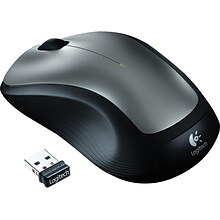
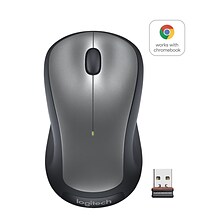
Logitech M310 Wireless Ambidextrous Optical USB Mouse, Dark Gray (910-001675)
Item #: 901-910001675
Perfect mouse for everyday use at home or in the office, comfortable design
Take your wireless mouse anywhere, and rely on it when you need
Laser mouse for improved precision
This product is not eligible for earning points.


Staples TECH Wireless Ambidextrous Optical USB Mouse, Navy (ST63067)
Item #: 901-24616850
Smooth optical tracking with 1600 DPI for precise pointing
Wireless USB plug-and-play freedom within a 10-meter range
Compact and lightweight, this wireless mouse fits in your bag for seamless transitions between home and office
This product is not eligible for earning points.


Staples TECH Wireless Ambidextrous Optical USB Mouse, Black (ST62601)
Item #: 901-24596653
Smooth optical tracking with 1600 DPI for precise pointing.
Wireless USB plug-and-play freedom within a 10-meter range
Compact and lightweight, this wireless mouse fits in your bag for seamless transitions between home and office.
This product is not eligible for earning points.


Dell Mobile Wireless Optical Mouse, Black (MS3320W-BLK)
Item #: 901-IM17GZ331
Optical wireless mouse designed for users with advanced or specialized workflow requirements
Dual-mode connectivity offers you the option to pair and connect to almost any PC via 2.4GHz wireless or Bluetooth 5.0
Works from one AA battery (included)
This product is not eligible for earning points.
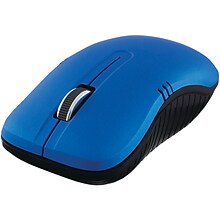
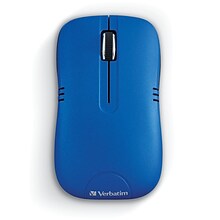
Verbatim Commuter Series Wireless Notebook Optical Mouse, Matte Blue (99766)
Item #: 901-24272574
Contoured, comfort grip fits the hand and ideal for right or left hand use
Wireless - 2.4GHz wireless reliability and performance
Nano receiver - small enough to plug in and leave connected, may be stored inside mouse
This product is not eligible for earning points.


Logitech MX Anywhere 2S Bluetooth Edition Wireless USB Mouse, Graphite (910-007232)
Item #: 901-IM1JN7489
With Logitech Flow, seamlessly control up to three computers with one mouse and copy-paste text, images and files between them. (1)
Darkfield™ High Precision tracking gives you flawless control virtually anywhere – even on glass (2) with up to 4,000 DPI.
Just plug MX Anywhere 2S into your computer using the micro-USB charging cable and get enough power for a full day of usage in only three minutes. A full charge can last up to 70 days. (3)
This product is not eligible for earning points.


Logitech M330 Silent Plus Wireless Optical USB Mouse, Gray (910-004908)
Item #: 901-2406185
Has rubber wheels for quiet, smooth scrolling
2.4GHz wireless connection via USB nano receiver with a range up to 33 feet for clutter-free use
Works with Windows 10 or later, Windows 8, Windows 7, and Windows RT, Mac OS X 10.5 or later, Chrome OS and Linux kernel 2.6+2 for versatility
This product is not eligible for earning points.

10 Pack- Logitech M325S Wireless Ambidextrous Optical USB Mouse, Black
Item #: 901-CD784551
Speedy 2.4GHz wireless connectivity for improved responsiveness
Contoured 3-button design for comfort and quick scrolling
Compatible with Windows 10, 11, or later, macOS 10.5 or later, ChromeOS, Chromebook, and Linux Kernel 2.6+
This product is not eligible for earning points.


Logitech Signature Comfort Plus M850 L for Business Wireless Curved Ergonomic USB-C Optical Mouse, Graphite (910-007703)
Item #: 901-IM1570W72
Enhanced comfort for business mouse users: With palm cushion and contoured shape, Signature Comfort Plus M850 L is designed for all-day comfort and productivity, plus easy mass deployment for IT teams.
Contoured fit for right-handed: The sculpted mouse adapted to most hand sizes is crafted with extended rubber side grips, plus a soft palm cushion creates a nice, supportive feel.
Dual scrolling speed with SmartWheel: Switch between precise line-by-line scrolling for detail documents, and super-fast scrolling for long web pages and spreadsheets.
This product is not eligible for earning points.

Dell Mobile Wireless Optical Mouse, Black (MS700-BK-R-NA)
Item #: 901-IM108RY38
Perfect mouse for everyday use at home or in the office, features comfortable design
Take this reliable wireless mouse anywhere
Interface type: Bluetooth
This product is not eligible for earning points.
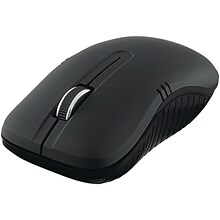
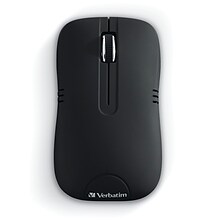
Verbatim Commuter Series Wireless Notebook Optical Mouse, Matte Black (99765)
Item #: 901-24272648
Contoured, comfort grip ideal for right- or left-hand use
2.4GHz wireless reliability & performance
Nano receiver—small enough to plug in & leave connected, may be stored inside mouse
This product is not eligible for earning points.

Lenovo 300 Ergonomic Ambidextrous USB Mouse, Black (GX30M39704)
Item #: 901-IM15JV332
Wired connectivity for accuracy and dependability
Ambidextrous design allows everybody to use one versatile mouse
Interface type: USB

Lenovo Essential USB Mouse
Item #: 901-TS15266214
USB mouse host interface allows powerful and efficient transfer of data with maximum productivity
The symmetrical shape lets left as well as right handers use mouse with ease
Scroll wheel provides convenient and easy navigation
This product is not eligible for earning points.


Logitech MK850 Performance Wireless Keyboard and Mouse Combo, Black (920-008219)
Item #: 901-2676142
Performance keyboard and mouse work together to increase productivity
Wireless connectivity works with up to three devices on computers, laptops and smartphones
Function keys along with mouse gestures and clicks create customizable programming
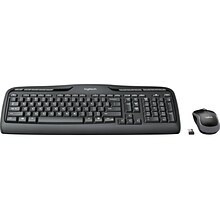
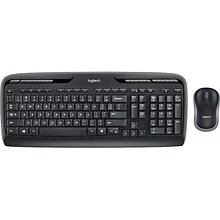
Logitech Desktop MK320 Wireless Keyboard & Mouse, Black (920-002836)
Item #: 901-920002836
Black keyboard and mouse set for improved productivity
2.4 GHz connection eliminates delays and interference from your computer to the mouse and keyboard
Mouse dimensions: 3.89"L x 1.54"H


Logitech Combo MK270 Wireless Keyboard & Mouse, Black (920-004536)
Item #: 901-57256L
Black in color keyboard and mouse set for improved productivity
2.4 GHz connection eliminates delays and interference from your computer to the mouse and keyboard
Mouse dimensions: 3.8"L x 1.5"H