Page 9 of Printer Accessories & Replacement Parts
(203 Products)
Filter by:
Sort by:
Best match

Intermec Industrial Printers Thermal Printhead
Item #: 901-IM1QC6739IN
Print Resolution: 203 dpi
Dimension: 2.5"H x 9"W x 4.7"D
Compatible with Intermec PM43
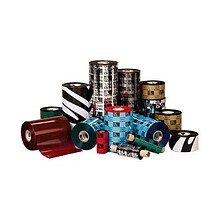
Zebra 2100 Enhanced Wax Ribbons; 4.33" x 1476', 12/Pack
Item #: 901-NC0236ING
Thermal transfer
4.33" x 1476'
Wax ribbon
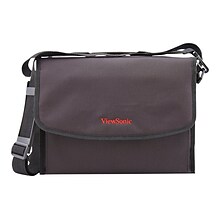
ViewSonic CRYNG Case F/LightStream PJD5/6/7
Item #: 901-IM1YN8338IN
Carrying case is perfect for LightStream projectors
Dimensions: 9.3"H x 12.1"W x 4.5"D
Compatible with LightStream PJD5/6/7 projectors
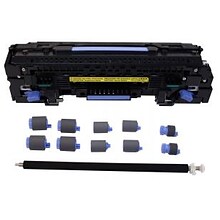
DPI Remanufactured M806/M830 Maintenance Kit (C2H67A-REO)
Item #: 901-24327317
Maintenance Kit
Yields up to 200000 pages
For use with HP LaserJet enterprise M806DN; LaserJet enterprise MFP flow M830

Dell 110 Volt Fuser Maintenance Kit (311-9572)
Item #: 901-956687
OEM
Dell Workgroup Laser Printer 5330dn
Yields up to 40000 pages
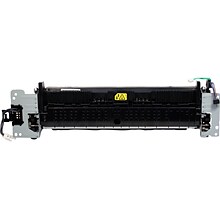
HP Fuser Unit (RM2-5679-OEM)
Item #: 901-24515997
Replacement fuser unit bonds toner to paper with heat
Compatible with HP LaserJet Pro M501, M506, M507, M527, HP LaserJet Managed E50145dn, E52645c printers
Yields up to 150000 pages
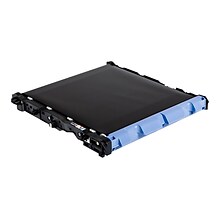
Brother BU320CL Transfer Belt
Item #: 901-2580464
Printer transfer belt for your printer
Compatible with Brother HL-L8250CDN, HL-L8250CDN, HL-L8350CDW, HL-L8350CDWT, HL-L9200CDWT, HL-L9300CDWT, MFC-L8600CDW, MFC-L8850CDW, MFC-L9550CDW
Offers duty cycle of 50,000 pages for increased productivity
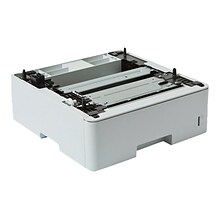

Brother LT6505 Paper/Media Tray
Item #: 901-24382698
Paper tray to expand input paper capacity or add mixed media
520 page tray
Compatible with: Add up to two optional LT-6505 trays to the HL-L5210DN, HL-L5210DW, HL-L5215DW, HL-L6210DW, HL-L6217DW, HL-L6310DW, HL-L6400DW, HL-L6400DWG, HL-L6400DWX, HL-L6415DW, HL-EX415DW, DCP-L5510DN, MFC-L5710DN, MFC-L5710DW, MFC-L5715DW, MFC ...

NCR ATM SDM2 6682/6684/6688 Printer Ribbon, Black (9417-0069-EACH)
Item #: 901-24634979
Compatible with NCR SDM2 endorser models.
Provides sharp, smudge-free printing for endorsements.
Durable design for extended operational life.


Lexmark Waste Cartidge (75M0W00)
Item #: 901-24641725
Efficient toner transfer.
Built with superior sustainability in mind.
Provides sharp imaging.
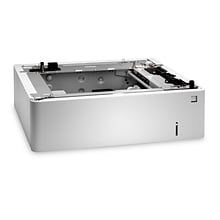
HP B5L34A 550-Sheet Tray
Item #: 901-IM1YZ6427
Genuine HP 550-Sheet Tray
Compatible with HP Color LaserJet Enterprise M552, M553, M554, M555, M577, M578, E55040, E57540
Maximize your printer's functionality with HP printer accessories
Want to know more about Page 9 of Printer Accessories & Replacement Parts
Do I need a printer maintenance kit?
Quill recommends it — printer maintenance kits help extend the life of your machine and prevent common issues. They may include replacement rollers, fusers, cleaning cloths, swabs, or lubricants. If you're seeing paper jams, print quality problems, or slow performance, a maintenance kit can often fix it without needing a full repair.
How do I know when a printer part or accessory needs to be replaced?
Watch for these signs that it’s time to replace a part or accessory:
- Faded or streaky prints
- “Low ink” or “replace toner” alerts
- Color imbalance or blank spots on the page
Printheads
- Missing lines or smudged ink
- Cleaning cycles don’t resolve the issue
- Dull or inaccurate colors
Rollers or feed mechanisms
- Frequent paper jams or misfeeds
- Skewed prints or alignment issues
- Grinding noises during use
Drum units (laser printers)
- Black marks or streaks on prints
- On-screen or software warnings
- Poor image quality despite new toner
Fusers
- Toner rubs off the page
- Uneven toner coverage
- Error messages related to heating
Most printers will alert you via screen, lights, or software when parts need attention. For more specific details, check your user manual or the printer’s maintenance settings.